To create a list of your favorite plants:
- Click the plant icon on the right of your screen.
- Find the plant you want to add. If it is a group of plants (all the same type but with several different image options), a heart icon will appear in the top right corner of that plant's menu.
- If it is a single plant and no heart icon appears yet, select the details button that is above and to the right of the plant. Click the heart in the top right corner of the details box.
- To remove a plant from your favorites list, select the heart icon again (at this point, the heart will have a line through it).
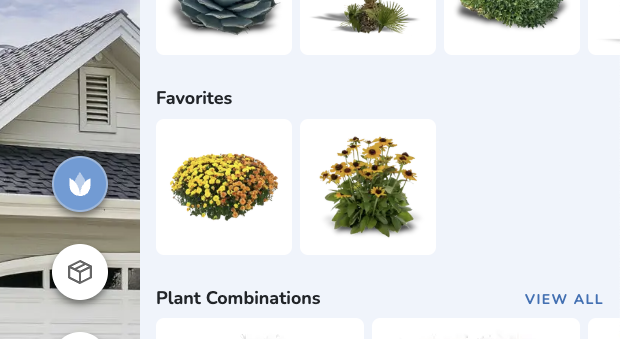
Your favorites will appear on the main plant library menu. If you have selected more than a few, you will also be presented with the option to "view all". Clicking those words will show you the full list of plants you have favorited.
Was this article helpful?
That’s Great!
Thank you for your feedback
Sorry! We couldn't be helpful
Thank you for your feedback
Feedback sent
We appreciate your effort and will try to fix the article