Easily move between your different workspaces.
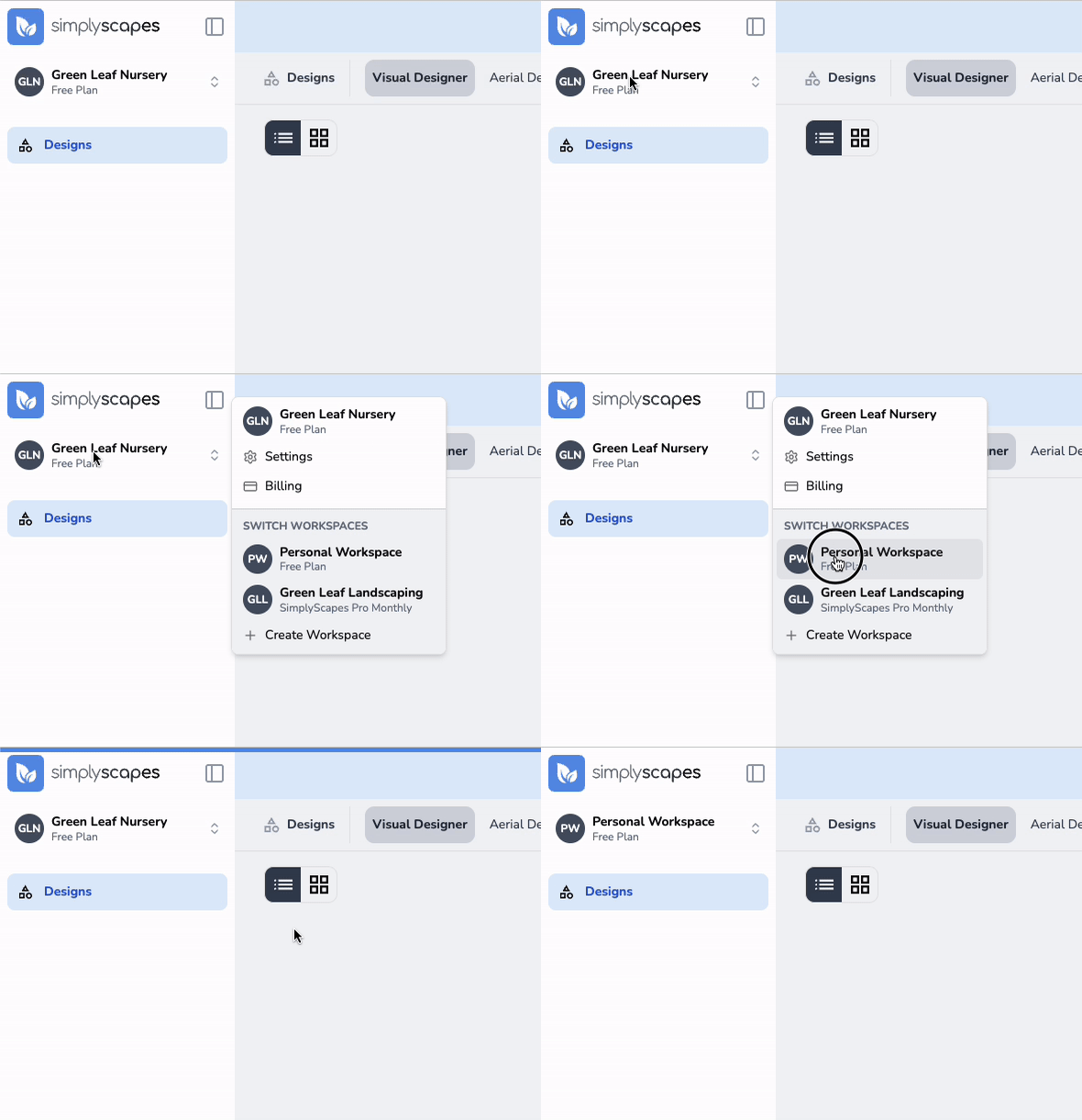
To switch workspaces:
- Click the workspace name in the top left corner of the dashboard
- View the list of your workspaces
- Click the workspace you want to switch to
You'll be immediately redirected to that workspace's dashboard with all its associated designs and settings.
Was this article helpful?
That’s Great!
Thank you for your feedback
Sorry! We couldn't be helpful
Thank you for your feedback
Feedback sent
We appreciate your effort and will try to fix the article