Manage your workspace preferences and information through the Settings page.
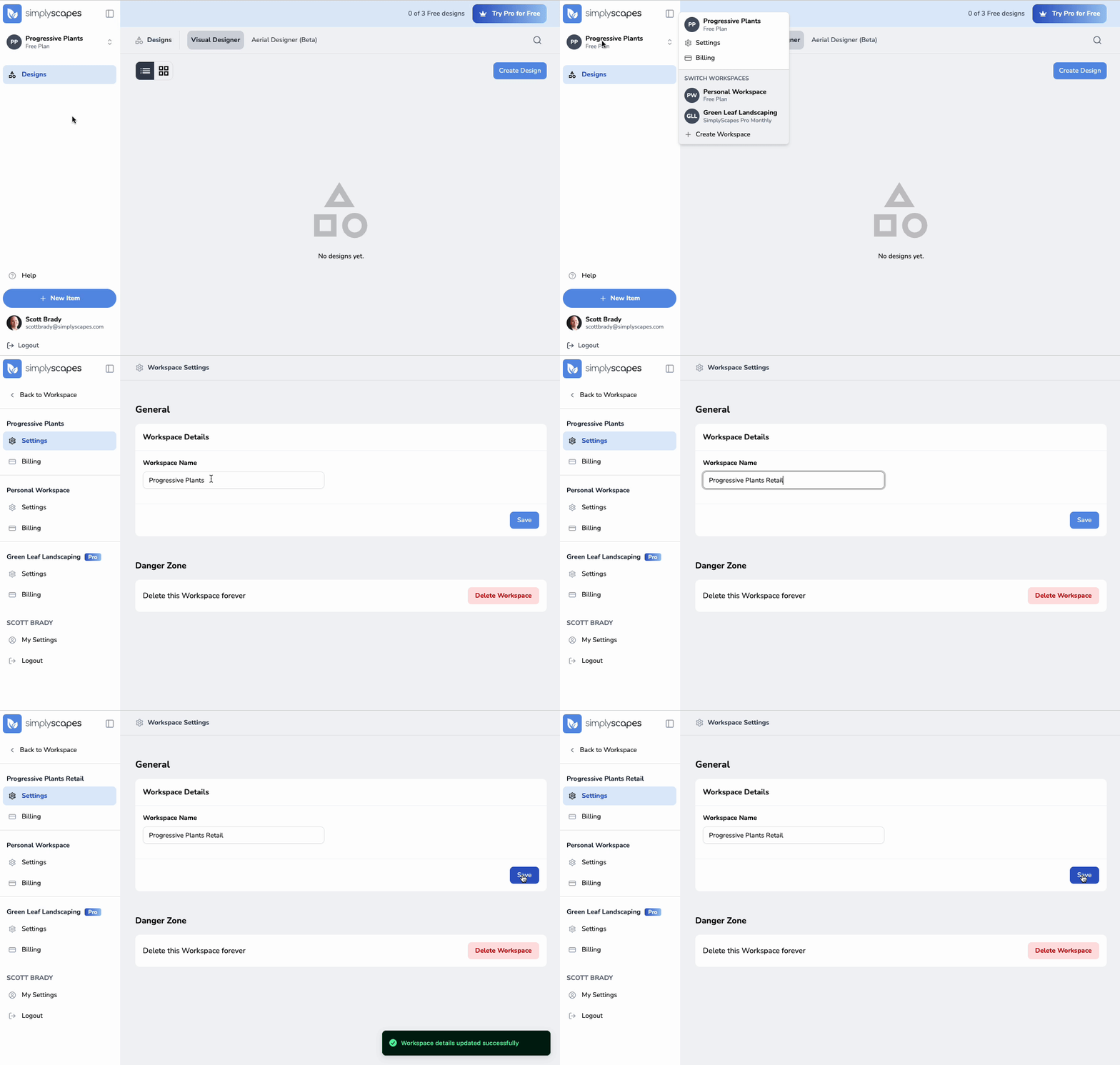
To access workspace settings:
- Click the workspace name in the top left corner of the dashboard
- Select "Settings" from the dropdown menu
- Update your workspace settings:
- Workspace Name - Change how your workspace is labeled
- Workspace Name - Change how your workspace is labeled
- Click "Save" to apply your changes
Was this article helpful?
That’s Great!
Thank you for your feedback
Sorry! We couldn't be helpful
Thank you for your feedback
Feedback sent
We appreciate your effort and will try to fix the article