The Draw Tool allows you to add groundcovers and other shapes to a design. You can modify these shape at any time after you've drawn them. To make edits to an existing shape:
- Click on the shape to select it.
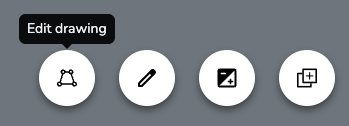
- Click the "Edit drawing" button that appears in the footer. After you do this, the original fill will be replaced with a dark, semi-transparent background. The border will also turn blue and each of the points will show up as dots.
- Editthe shape any of the following ways:
- Move an existing point by pressing on it and dragging it to a new location
- Add a point to outline. Do this by clicking anywhere on the outline and dragging to a new location.
- To finalize the edits, do any of the following:
- Click the close button in the footer

- Click anywhere outside the shape
- Press the escape (ESC) key
- Click the close button in the footer
Changes are saved automatically. Undo edits by clicking the "Undo" button.
Was this article helpful?
That’s Great!
Thank you for your feedback
Sorry! We couldn't be helpful
Thank you for your feedback
Feedback sent
We appreciate your effort and will try to fix the article