You can duplicate any design element to quickly create copies without adding items from the library again.
Step-by-step instructions
- Select the item you want to duplicate.
- A toolbar appears at the bottom of the screen. Click the duplicate icon (two pages with a plus sign on the top page).
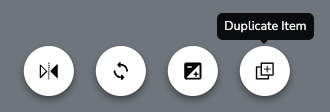
- A duplicate of your item will appear.
- Now you can move, flip, resize, or otherwise edit your duplicate.
- When you're finished with your duplicated item, click on any blank area of the canvas or press the esc button on your keyboard to deselect it.
Was this article helpful?
That’s Great!
Thank you for your feedback
Sorry! We couldn't be helpful
Thank you for your feedback
Feedback sent
We appreciate your effort and will try to fix the article