SimplyScapes respects your privacy and will never share your information without your consent. In compliance with GDPR policies, we provide a way for users to delete their account information from SimplyScapes and external systems where possible.
Before deleting your account, please note that this action is permanent and cannot be undone.
Need help instead? Consider contacting our support team before deleting your account—we may be able to help resolve any issues you're experiencing.
To delete your account:
- Navigate to My Settings (click your profile icon → My Settings)
- Scroll down to the "Danger Zone" section at the bottom of the page
- Click "Delete Account"
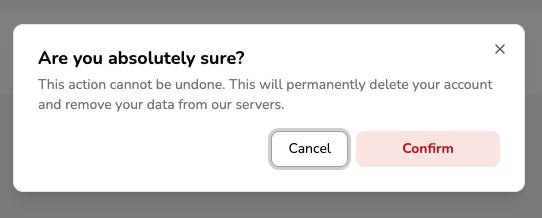
- Review the confirmation message explaining what will be deleted
- Click "Delete Account" in the confirmation modal
What happens when you delete your account:
- All your designs will be permanently deleted
- All workspace data will be removed (if you're the last member of the workspace)
- Your account will be deleted from SimplyScapes and external systems (GDPR compliant)
- You won't be able to recover any data after deletion

Was this article helpful?
That’s Great!
Thank you for your feedback
Sorry! We couldn't be helpful
Thank you for your feedback
Feedback sent
We appreciate your effort and will try to fix the article