Deleting a workspace permanently removes all associated designs and data. This action cannot be undone.
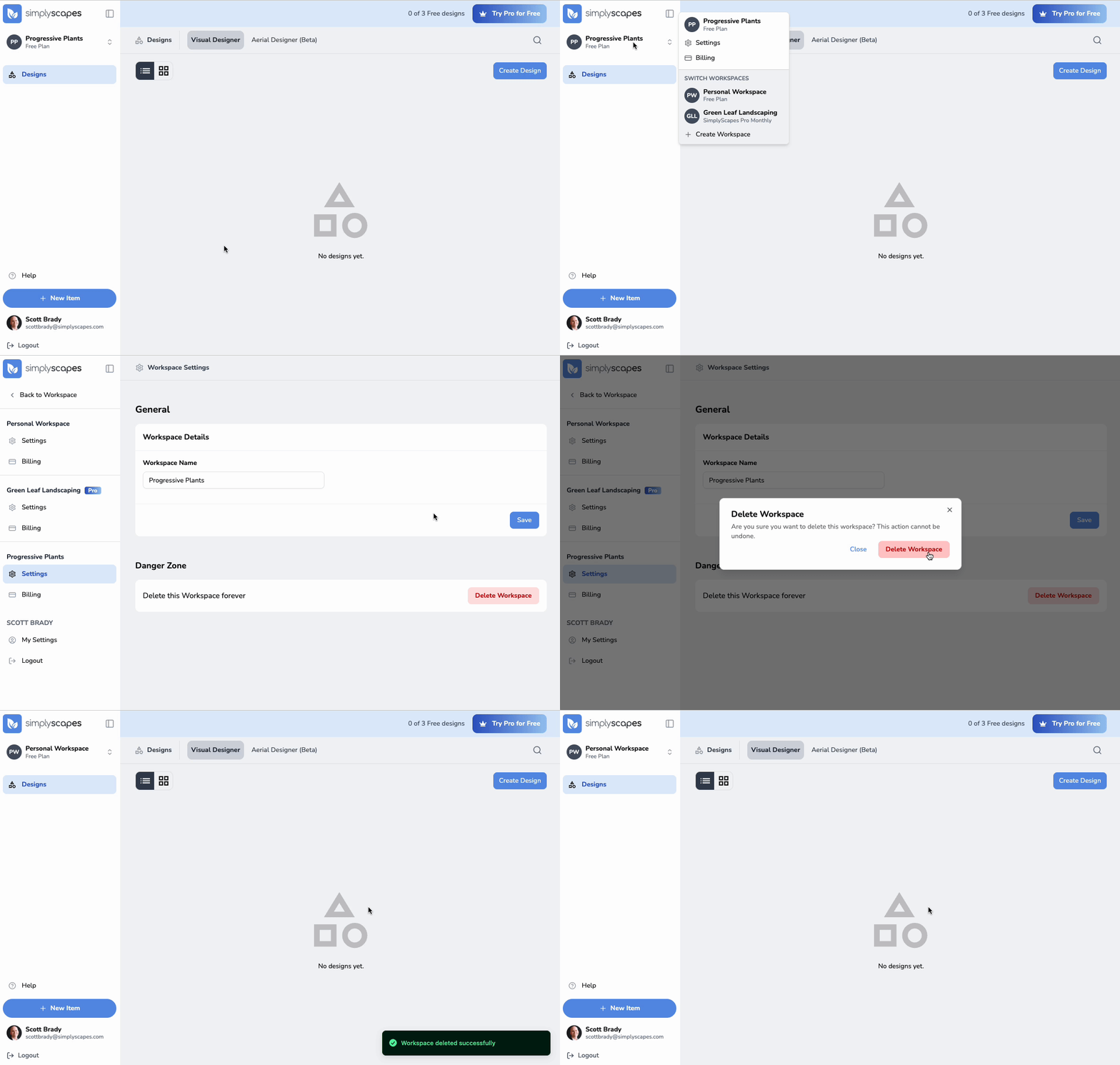
To delete a workspace
- Navigate to Workspace Settings (click workspace name → Settings)
- Scroll down to the Danger Zone
- Click "Delete Workspace"
- Read the warning about what will be deleted
- Click "Delete Workspace" to confirm
The workspace and all its designs will be permanently deleted immediately.
What gets deleted
- All Visual Designs in the workspace
- All Takeoffs (if applicable)
- Custom uploaded images
- Workspace settings
Note: Deleting a workspace does not delete your SimplyScapes account. You can continue using SimplyScapes with your remaining workspaces or create new ones.
Was this article helpful?
That’s Great!
Thank you for your feedback
Sorry! We couldn't be helpful
Thank you for your feedback
Feedback sent
We appreciate your effort and will try to fix the article