What is the dashboard?
The SimplyScapes dashboard is the workspace hub for Jobs, Visual Designs, Site Plans, clients, settings, and team access.
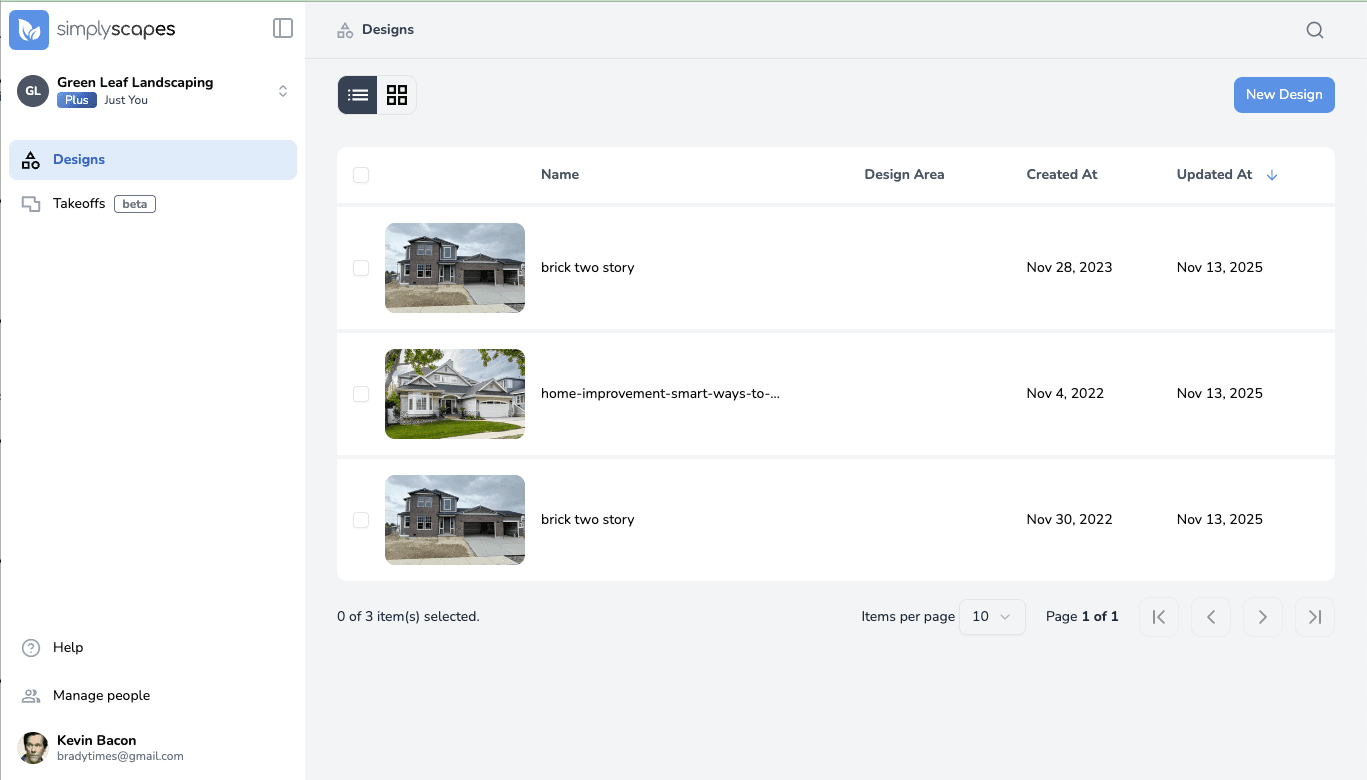
The dashboard is the home base for the workspace you currently have open. It gives you access to Jobs, Visual Designs, Site Plans, workspace settings, and the business tools available for that workspace type.
What you will find
- Home in a Homeowner workspace or Jobs in a Professional workspace, with the Design, Estimate, and Build phases for each job.
- Designs, where you can create and reopen Visual Designs.
- Site Plans and Clients as standalone lists in Professional workspaces.
- The workspace selector and settings.
- Manage people for Professional workspace owners and admins.
SimplyScapes Labs
Home/Jobs and Manage people appear after a workspace administrator enables Labs. Within a job, Estimate, Build, and the panels carrying a Labs badge are still being developed. The Irrigation tools inside Site Planner are also presented as a Labs Preview.
Understanding the Dashboard
The SimplyScapes dashboard is your home base for managing landscape designs. Learn to navigate the layout, find your projects, and jump into your work fast.
How do I navigate the dashboard?
Find Jobs, Visual Designs, Site Plans, clients, workspace settings, and the People area in the current SimplyScapes dashboard.